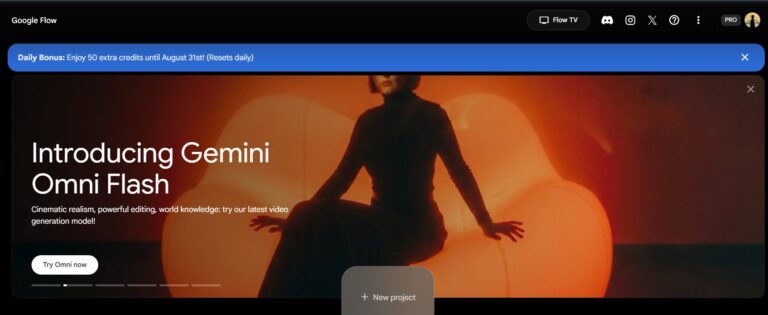
Google Flow camera commands are short slash instructions — like /dollyin or /orbit360 — that you type instead of writing a full prompt. You drop in an image, type one command, and Flow animates it with that camera move. No prompt writing needed.
This page is the full list, sorted so you can find the one you need in a few seconds and copy it.
How to use them
- Upload your image in Google Flow.
- Type one command, e.g.
/dollyin. - Generate. That’s it.
Two extra things worth knowing:
- You can stack them.
/dollyin /85mm /goldenhourgives you a push-in, on a portrait lens, in warm light. - Two or three is the sweet spot. Past that, Flow starts ignoring some of them.
1. Camera movement
How the camera physically travels through the scene.
Directional and panning
/dolly— camera moves toward or away from the subject/dollyin— pushes in closer/dollyout— pulls back away/panleft— sweeps left from a fixed spot/panright— sweeps right from a fixed spot/tiltup— tips the lens upward/tiltdown— tips the lens downward/pedestalup— whole camera rises straight up/pedestaldown— whole camera lowers straight down/slide— smooth sideways glide/truckleft— travels left alongside the scene/truckright— travels right alongside the scene/crab_left— tight sideways creep to the left/crab_right— tight sideways creep to the right/ascend— climbs upward through the scene/descend— drops downward through the scene
Rotational and dynamic
/orbit— circles around the subject/orbitleft— circles anticlockwise/orbitright— circles clockwise/orbit360— a full lap around the subject/spin— fast rotation/roll— camera rotates on its own axis/whip— violent snap to a new direction/whippan— blurred high-speed pan/pan_whip_left— whip pan to the left/pan_whip_right— whip pan to the right/dutchangle— tilted, off-balance frame/dutch_tilt_left— frame tilted left/dutch_tilt_right— frame tilted right/rotation— general rotating motion/barrelroll— full 360° roll/spiral_down— spirals downward/swoop— dives in and lifts back out/float— slow weightless drift/glide— long, smooth travel
Rigs and mounting
/tracking— follows the subject as it moves/tracking_reverse— moves backwards ahead of the subject/tracking_vehicle— shot from a moving vehicle/follow— trails behind the subject/handheld— natural human hand movement/handheld_shaky— rougher, more unstable handheld/steadicam— floating, stabilised walk/steadicam_run— stabilised running shot/gimbal— mechanically smooth motion/shakycam— heavy shake, documentary feel/crane— sweeping crane motion/craneup— rises up and away/cranedown— descends toward the subject/jib— short arm lift or drop/technocrane— long, complex crane sweep/slider_smooth— controlled slider glide/tripod_locked— completely still frame/moco— precise, repeatable motion-control move/spidercam— cable rig flying over the scene/cablecam— travels along a suspended cable line
Aerial and specialty POVs
/drone— general drone shot/dronefly— flying pass through the scene/droneorbit— drone circling the subject/drone_dive— steep drop from height/aerial— wide view from above/fpv— first-person flying view/fpvdrone— fast FPV drone chase/fpv_acrobatic— flips and dives, FPV style/flyover— passes over the top of the scene/birdseye— high overhead view/topdown— straight down at 90°/godsview— very high, all-seeing angle/snorricam— camera locked to the subject’s body/helmetcam— helmet-mounted view/dashcam— car dashboard view/bodycam— chest-mounted view/cctv— fixed security camera look/gopro— wide action-camera look/boom_mic_pov— view from just above the frame/underwater_housing— underwater camera look
2. Lens and optics
The glass — how light bends, how much background you see, where the focus sits.
Focal lengths
/14mm— ultra-wide, exaggerated space/24mm— wide, environmental/35mm— natural documentary width/50mm— closest to how the eye sees/85mm— flattering portrait compression/100mm_macro— extreme close detail/macro— tiny subject filling the frame/anamorphic— wide cinema look with oval flares/fisheye— heavy curved distortion/tiltshift— miniature-model effect/splitdiopter— near and far both sharp at once
Zoom dynamics
/zoom— general zoom motion/zoomin— tightens on the subject/zoomout— widens away from it/crashzoom_in— violent snap zoom in/crashzoom_out— violent snap zoom out/zolly— dolly zoom, the “vertigo” warp
Focus and depth
/rackfocus— focus shifts between two points/rackfocus_fg— pulls focus to the foreground/rackfocus_bg— pulls focus to the background/focuspull— smooth manual focus change/shallowdepth— blurred background/shallowfocus— very thin plane of sharpness/deepfocus— everything sharp front to back/deepspace— strong sense of depth in the frame/softfocus— gentle, dreamy softness/sharpfocus— crisp, clinical detail/bokeh— creamy out-of-focus highlights
Optical artifacts
/chromaticaberration— colour fringing at the edges/vignette— darkened corners/halation— soft glow around bright areas/lensdistortion— bent, curved lines/lensflare— light streaks across the lens/lens_flare_jj— heavy blue anamorphic flares/motionblur— natural blur on movement/motionblur_heavy— strong smeared motion
3. Shot composition
Where the subject sits in the frame and how much of them you see.
Subject framing
/extremecloseup— one detail only, like an eye/closeup— face fills the frame/chokershot— tighter than a close-up, brow to chin/mediumcloseup— head and shoulders/mediumshot— waist up/cowboyshot— mid-thigh up/fullshot— whole body in frame/wideshot— subject plus surroundings/extremewideshot— subject tiny in a huge space/extremewide— maximum landscape scale
Angles and elevation
/highangle— looking down at the subject/highangle_vulnerable— down-angle that makes them look small/lowangle— looking up at the subject/lowangle_hero— up-angle that makes them look powerful/wormseye— from ground level, looking straight up
Perspective and grouping
/pov— seen through the subject’s eyes/firstperson— first-person view/thirdperson— camera just behind the subject/overtheshoulder— framed past someone’s shoulder/clean_ots— over-the-shoulder with nothing in the way/dirty_ots— shoulder visibly cutting into frame/twoshot— two people in frame/threeshot— three people in frame/crowdshot— a mass of people/profile_shot— side view of the face/silhouette— dark shape against bright light
Scene construction
/insertshot— quick detail cut-in/cutaway— brief look at something else/mastershot— wide shot covering the whole scene/framed_in_doorway— subject framed by a doorway/rule_of_thirds— subject placed off-centre/center_framed— subject dead centre, symmetrical
4. Lighting, time and finish
The mood, the weather, the speed and the final render look.
Lighting styles
/cinematic— film-grade contrast and colour/volumetric— visible beams of light/volumetriclighting— thicker, atmospheric light shafts/godrays— sun rays breaking through/practical_lights— lamps and signs inside the shot/neon_bathed— subject drenched in neon colour/neonlighting— neon signage lighting the scene/tungsten— warm orange indoor light/fluorescent— cold green office light/daylight_balanced— clean neutral daylight/backlit— light coming from behind the subject/rimlighting— bright outline around the edges/hard_shadows— sharp, harsh shadow edges/soft_shadows— gentle, diffused shadows
Time of day and weather
/goldenhour— warm low sun/golden_hour— same look, alternate spelling/magic_hour— the brief glow right after sunset/bluehour— cool blue twilight/blue_hour— same look, alternate spelling/overcast_diffused— flat, even cloudy light/rain_overlay— rain falling through the shot/fog_heavy— thick fog/mist_light— light haze/snow_particles— snow drifting in the air/dust_motes— dust floating in a light beam/cinematic_haze— soft atmospheric film haze
Time manipulation
/slowmo— slow motion/hyperlapse— moving time-lapse/timelapse— time compressed from a fixed point/speedramp— speed shifts mid-shot/bullet-time— frozen moment, camera keeps moving/freezeframe— action stops on one frame/freeze— motion halts/loop— seamless repeating clip/reverse— plays backwards/stopmotion— stepped, frame-by-frame movement
Transitions and finish
/transition— general shot change/morph— one thing melts into another/fadein— comes up from black/fadeout— falls away to black/crossfade— two shots dissolve together/cut— hard instant change/matchcut— cut on a matching shape or motion/jumpcut— abrupt jump forward in time/zoomblur— streaked zoom transition/glitch— digital distortion/vhs— worn tape look/filmgrain— analogue film texture/vfx— added visual effects/cgi— computer-generated look/unrealengine— game-engine render style/ue5— Unreal Engine 5 realism/octanerender— glossy 3D render finish/cinematography— general filmic treatment/photorealistic— true-to-life realism/8k— maximum detail/4k— high detail/raw— flat, ungraded footage look
Five combinations that just work
/dollyin /85mm /shallowdepth— a portrait that pulls you in/orbit360 /lowangle_hero /volumetric— a product or person made to look big/drone_dive /goldenhour /cinematic— a landscape opener/handheld /35mm /filmgrain— documentary realism/crashzoom_in /whippan /glitch— a reel hook in the first second
FAQ
Do I still need a text prompt?
No. A command on its own is enough. A short line of description on top will make it more specific, but it isn’t required.
How many commands can I use at once?
Two or three is where it holds up best — usually one movement, one lens, one look. Long stacks get partly ignored.
Why did my command do nothing?
Usually the spelling. Commands have no spaces, and some have two accepted forms (/goldenhour and /golden_hour). Copy them from this list rather than typing from memory.
Do these work on any image?
Any still image, yes. Movement commands read better on photos with real depth — a hallway, a road, a landscape — than on flat graphics.
Want this working for your brand?
Commands make the video. Getting that video in front of people — the right platform, the right search terms, a site that converts the click — is a different job.
That’s what I do at Gaznil: SEO, web design and paid ads for businesses that want traffic they can actually measure. Have a look at recent projects, or get in touch.