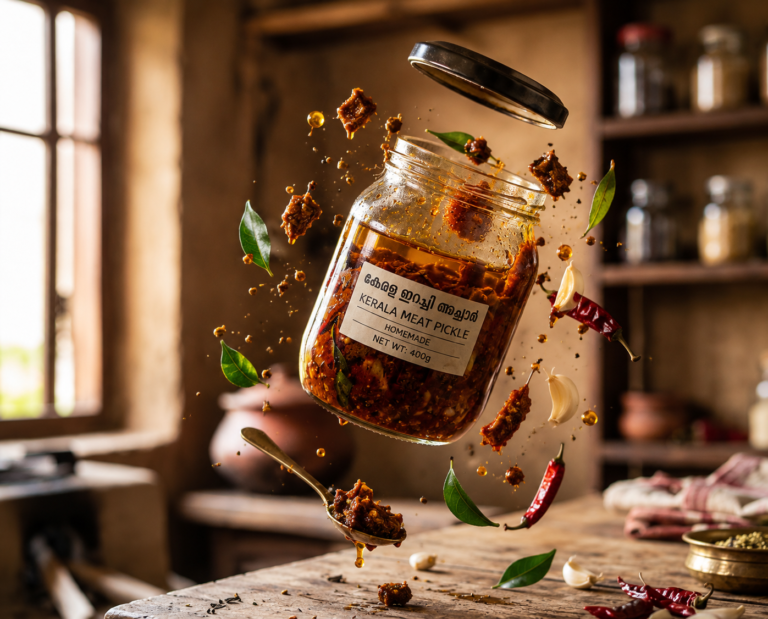
Short answer: these 40 ChatGPT commands turn one plain product photo into a finished ad visual — a billboard, a launch poster, a Times Square takeover, a luxury campaign shot. You paste a setup message once, upload your product image, type a slash command like /3dbillboard, and ChatGPT builds the whole scene around your product. No studio, no photographer, no designer.
This list is built for advertising creative — posters, campaign concepts, out-of-home mockups and social ads. If you want clean catalogue-style product photography instead, use our 100 ChatGPT slash commands for product photos. If you want the complete library across every category, see the 300+ ChatGPT image commands list.
How to use these ChatGPT commands (3 steps)
These are not built-in ChatGPT features. They are shortcuts you teach it once, and then reuse forever. Takes about thirty seconds to set up.
Step 1 — Paste this setup message into a new ChatGPT chat
From now on, treat any message starting with "/" as an image command.

Rules:
1. Use the product image I upload exactly as it is. Never change the product's
   shape, colour, label, logo or text.
2. Build the whole scene, lighting and background around the product.
3. Output one photorealistic advertising image, sharp, professional,
   commercial quality.
4. If I add words after the command, treat them as extra direction.

Reply "Ready" and wait for my first command.
Step 2 — Upload your product photo
A plain phone photo works. Good light and a clean background give the best result, but it does not need to be perfect — the command rebuilds the environment anyway.
Step 3 — Type any command below
Just the command on its own works. You can also add detail after it, for example:
/timesquare at night, rain on the street, blue and gold brand coloursThe 40 ChatGPT commands for product ads and posters
Grouped by what you actually need them for. Copy any command exactly as written.
1. Launch, teaser and reveal campaigns
Use these when a product is new, dropping soon, or being announced.
| Command | What it does | Best for |
|---|---|---|
/launchevent |
Turns your product into a spectacular launch-event visual with stage lighting and a crowd | Launch day posts |
/comingsoon |
Creates a dark, mysterious cinematic teaser for an upcoming product | Pre-launch hype |
/productreveal |
Builds a dramatic reveal moment — curtains, light beams, smoke | Announcement day |
/productdrop |
Makes a hype-style limited drop campaign with streetwear energy | Limited editions |
/unboxingcampaign |
Turns the unboxing moment into a premium advertising visual | E-commerce ads |
/redcarpet |
Gives the product a celebrity-style red-carpet arrival | Premium positioning |
2. Premium studio and luxury shots
Clean, expensive-looking hero images — the kind that sit on a homepage or a print ad.
| Command | What it does | Best for |
|---|---|---|
/producthero |
Creates an epic cinematic hero shot of the product | Website banners |
/productmockup |
Places the product inside a premium commercial mockup | Client presentations |
/premiumstudio |
Puts the product in a professional advertising studio setup | Catalogue ads |
/luxurycampaign |
Turns the product into a high-end luxury brand campaign | Perfume, watches, jewellery |
/glassdisplay |
Showcases the product inside a luxurious glass display case | Retail and premium goods |
/museumdisplay |
Presents the product like a priceless museum masterpiece | Heritage and craft brands |
/runwaycampaign |
Presents the product through a luxury fashion runway concept | Fashion and beauty |
3. Motion, drama and physics
These are the scroll-stoppers. Movement, splashes and floating parts get far more attention in a feed than a static shot.
| Command | What it does | Best for |
|---|---|---|
/floatingproduct |
Makes the product float dramatically in a premium ad scene | Tech and skincare |
/gravitydefying |
Creates a gravity-defying product advertisement | Energy and sports brands |
/productburst |
Shows the product bursting through its packaging or environment | Bold, loud campaigns |
/productexplosion |
Separates the product into floating components — an exploded view | Tech, gadgets, machinery |
/ingredientexplosion |
Explodes ingredients or components dramatically around the product | Food, supplements, cosmetics |
/splashcampaign |
Surrounds the product with dramatic liquid splashes | Drinks and beauty |
/productportal |
Shows the product emerging through a futuristic portal | Tech launches |
4. Billboards, out-of-home and city-scale ads
The most useful group for pitching. You can show a client their brand on a skyscraper before spending a rupee on media.
| Command | What it does | Best for |
|---|---|---|
/3dbillboard |
Turns the product into a giant 3D billboard advertisement | Anamorphic-style ads |
/timesquare |
Advertises the brand across massive Times Square screens | Big-brand mockups |
/buildingwrap |
Wraps a skyscraper or building with the brand campaign | Out-of-home proposals |
/citytakeover |
Makes the brand visually take over an entire city | Campaign pitch decks |
/streetcampaign |
Turns the product into an eye-catching street ad installation | Guerrilla marketing ideas |
/giantproduct |
Makes the product enormous inside a real-world location | Viral-style visuals |
/vehiclewrap |
Transforms a car, van, truck or bus into a branded advertisement | Fleet branding mockups |
/deliverycampaign |
Creates an attention-grabbing branded delivery campaign | D2C and food brands |
5. Worlds, stores and installations
Full environments built around the product — useful when you are selling an experience, not just an item.
| Command | What it does | Best for |
|---|---|---|
/miniatureworld |
Builds a tiny miniature world around the product | Playful, shareable posts |
/futurestore |
Creates a futuristic branded retail store around the product | Retail concepts |
/popuplaunch |
Designs an immersive branded pop-up store launch | Event marketing |
/productvending |
Turns the product into a creative branded vending machine campaign | Brand activations |
/productfactory |
Creates a miniature factory producing the product | “How it’s made” content |
/neoncampaign |
Creates a futuristic neon advertising campaign | Nightlife, gaming, tech |
6. Brand-level campaign concepts
These think about the brand, not just the product. Good for strategy decks and seasonal pushes.
| Command | What it does | Best for |
|---|---|---|
/globalcampaign |
Creates a worldwide advertising campaign concept | Brand positioning |
/brandmascot |
Creates a memorable mascot representing the brand | Brand identity work |
/seasonalcampaign |
Adapts the campaign for Christmas, Diwali, Eid, Halloween and more | Festive marketing |
/collabcampaign |
Visualises a premium collaboration between two brands | Partnership pitches |
/viralposter |
Turns the product into a scroll-stopping social media advertisement | Instagram and Facebook ads |
/brandtakeover |
Creates an extravagant real-world takeover for the brand | Flagship campaigns |
Which Gaznil command list should you use?
We publish several command lists and they do genuinely different jobs. Pick by what you are making:
- An ad, poster or campaign visual — this page. 40 commands built for advertising creative.
- Clean product photos for a shop or catalogue — 100 ChatGPT slash commands for product photos.
- Anything else made with AI images — the full 300+ ChatGPT image commands library.
- Video instead of stills — the Google Flow camera commands list.
Five things that make the output far better
- Say your brand colours. Add them after the command:
/viralposter in deep green and cream. ChatGPT will carry them through the whole scene. - Ask for the aspect ratio you need. Add
vertical 9:16for Reels and Stories,square 1:1for feed,wide 16:9for a website banner. - Lock the label. If your packaging text keeps changing, add:
keep the label text exactly as in my photo. - Stack two commands.
/productherofirst, then/3dbillboard using that resultgives a much stronger billboard than starting cold. - Ask for three variations. Type
3 variationsafter any command and pick the strongest instead of regenerating one at a time.
Can you actually run ads with these?
Yes, for most of them — social ads, posters, banners and pitch visuals are fine. Two cautions. First, do not present a /timesquare or /buildingwrap image as a real placement; it is a concept mockup, so label it as one. Second, check your product’s label and small text in the final image at full size, because AI still garbles small type more often than it should.
The images are only half the job. A campaign still needs the right audience, the right offer, and a landing page that converts. That is the part we handle at Gaznil — see our SEO, web design and Meta & Google Ads services, or look through the work we have shipped for other brands.
Frequently asked questions
Do these commands work in the free version of ChatGPT?
Yes. Free accounts can generate images, with a daily limit and slower generation. If you are producing ad creative regularly, a paid plan is worth it purely for the volume.
Do I have to paste the setup message every time?
No. Paste it once at the start of a chat and the commands work for that whole conversation. For permanent use, put the same rules into a Custom Instruction or a saved Project, so every new chat already knows them.
Will ChatGPT change my product or logo?
It can, which is exactly why the setup message tells it not to. If it still drifts, re-upload the photo and add do not redraw the product, composite my exact photo into the scene.
Can I use these images commercially?
Under OpenAI’s current terms you own the images you generate and can use them commercially. The real risk is not ownership, it is accuracy — never publish a visual that misrepresents what your product actually is or does.
Do these work in Midjourney or Gemini?
The idea transfers, but not the shortcut. You will need to paste the full description rather than the slash command, because those tools do not hold a rules message the way ChatGPT does.
Take one product photo further today
Pick your best-selling product, photograph it on a plain surface, and run /producthero, /viralposter and /3dbillboard on it. That is three usable ad assets in about five minutes, from one phone photo.
If you would rather have the whole campaign built and run for you — creative, landing page and the ad account behind it — talk to us at Gaznil.