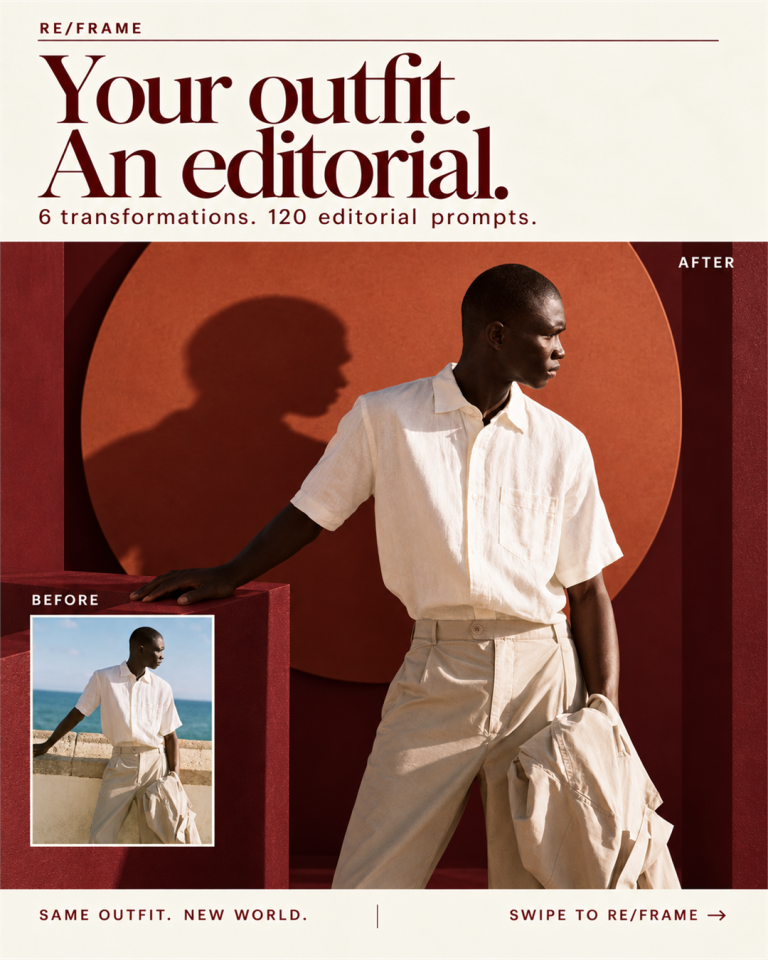
ChatGPT image commands are short keywords like /ghibli, /cinematic or /blueprint that you type under an uploaded photo or an image idea to lock in a visual style in one word. They are not official ChatGPT features and there is no command menu — they work because the model reads the slash word as a style instruction instead of a subject. That is the whole trick, and it saves you writing a 60-word prompt every single time.
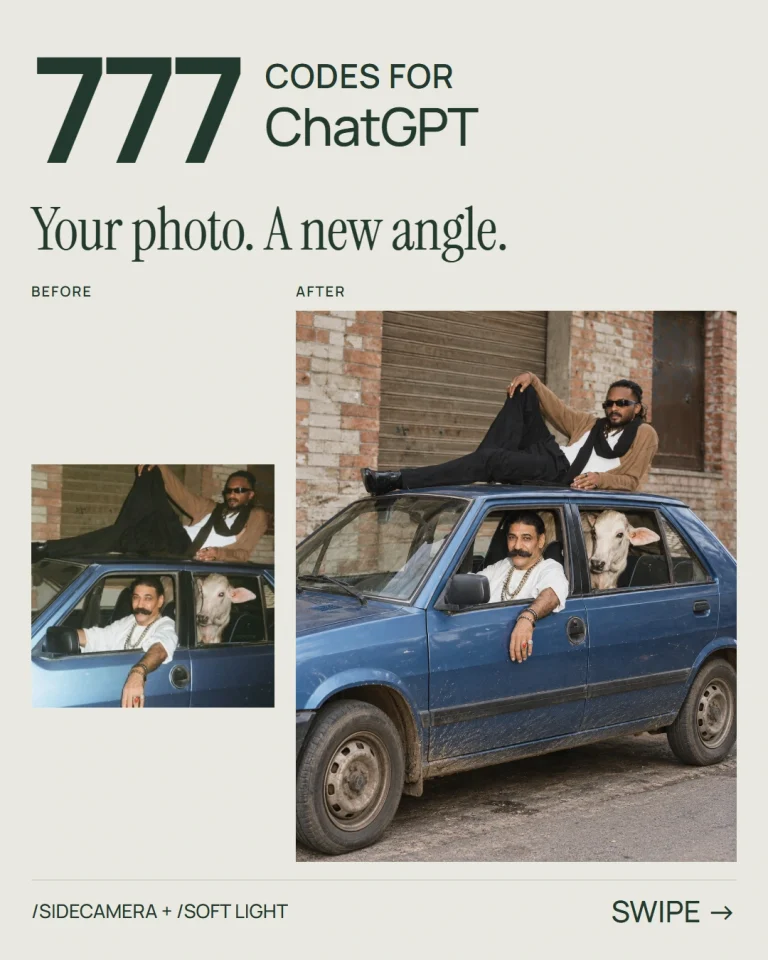
For camera angles, portrait framing and realistic before-and-after examples, explore the 777 ChatGPT photo editing codes with a searchable library and free PDF.
Below is the full list of 300+ commands, sorted into 20 categories so you can find what you need in about five seconds, plus four real results I generated while writing this and the rules that decide whether you get a great image or a mess.
What ChatGPT image commands actually are
Let’s clear up the confusion first, because most lists floating around don’t.
These are not built-in slash commands. ChatGPT has no hidden /ghibli function. What’s happening is simpler: a slash word acts as a compressed style brief. When you type /watercolor, the model reads it the same way it would read “render this as a soft watercolour painting with visible paper grain and bleeding edges” — you just skipped the typing.
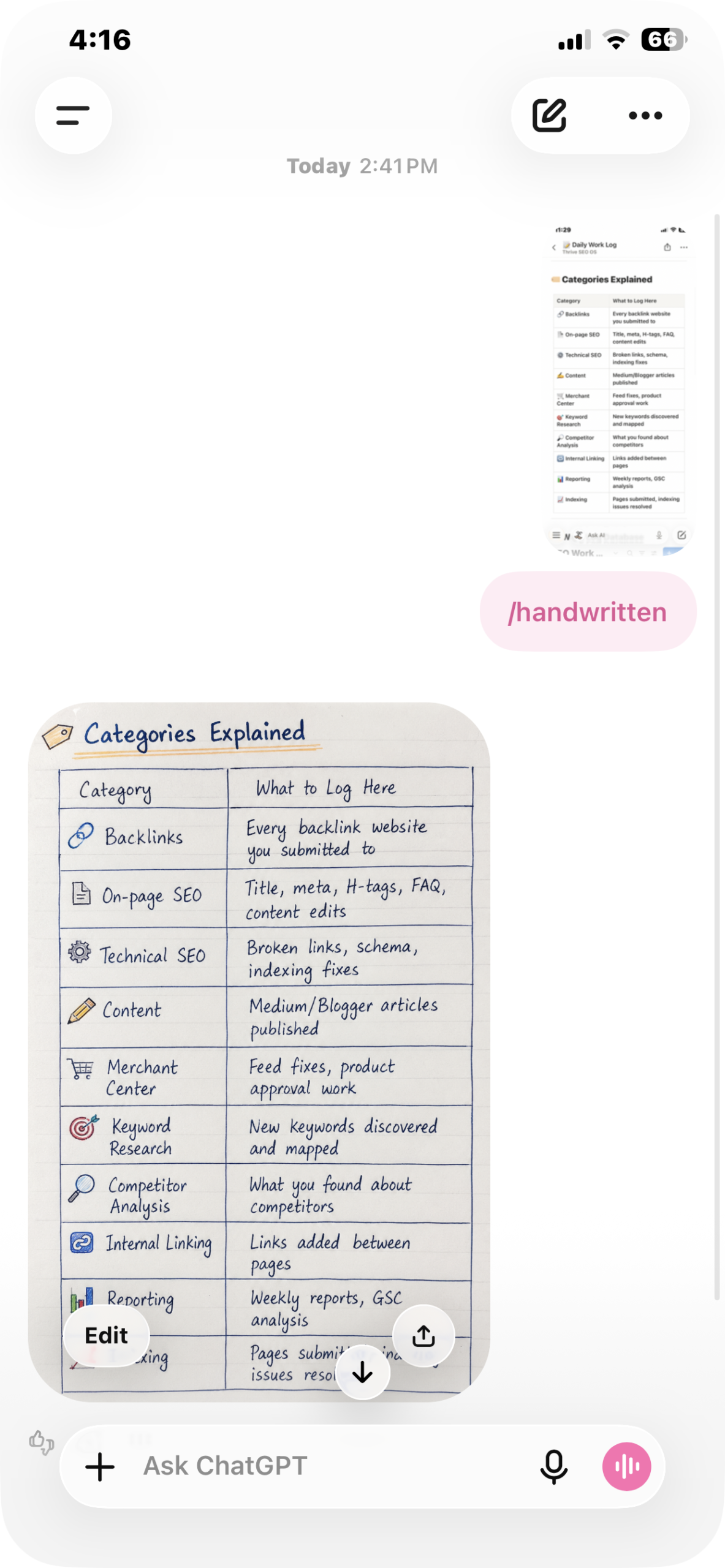
Here’s the whole interaction. No prompt, no instructions, no explanation — an image, then one word:
Two things follow from that, and they matter:
- Spelling doesn’t have to be exact.
/goldenhour,/golden hourand/golden-hourall land in the same place. Nothing is being looked up in a table. - The same command gives a different image every time. That’s a feature, not a bug — if the first result is flat, run the identical command again before you rewrite anything.
They work in ChatGPT’s image generation, and the same shorthand carries over to most other image models too — Gemini, Grok, Copilot. The vocabulary is the transferable part.
How to use ChatGPT image commands
Three steps. There is genuinely nothing more to it.
Step 1 — Give it something to work on
Either upload a photo, or type the subject you want created. A photo gives you a restyle; a typed subject gives you a fresh generation.
Step 2 — Put the command on the line below
[upload your photo]
/ghibli
Send it. That’s the entire interaction.
Step 3 — Add your subject for accuracy
A command on its own is a style with no subject, so the model invents one. Name the subject and the hit rate jumps:
/popart a cutting chai glass on a steel table
/isometric a small bakery corner shop
/blueprint a mechanical keyboard, exploded view
Four commands, one photo — real results
Before the full list, here’s what this actually looks like in practice. Same source photo, four different commands, nothing else typed.
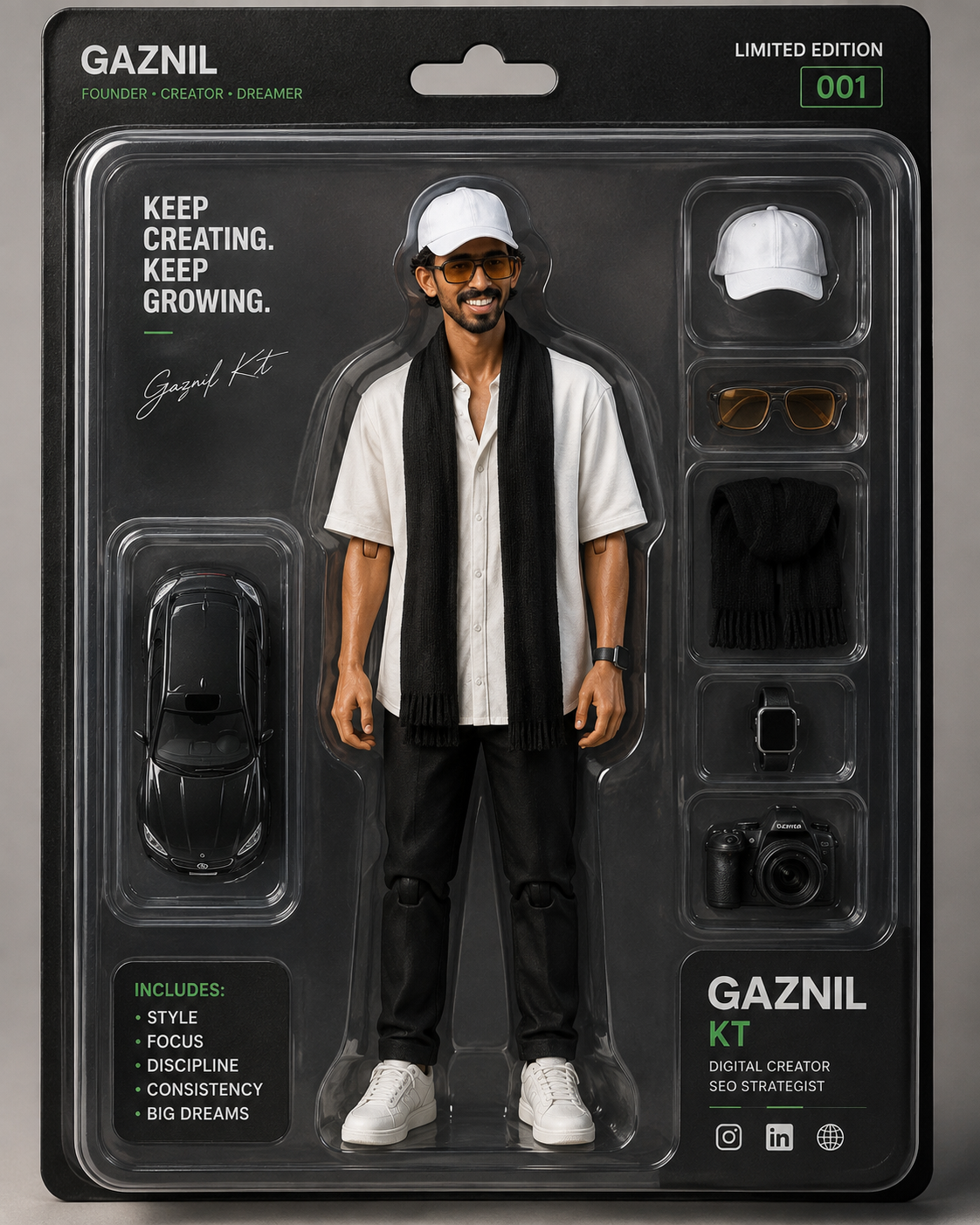
/actionfigure
Turns a person into a boxed collectible — blister pack, accessory tray, the whole retail treatment. It invents the accessories from what it sees in the photo, which is why the results feel personal rather than generic.
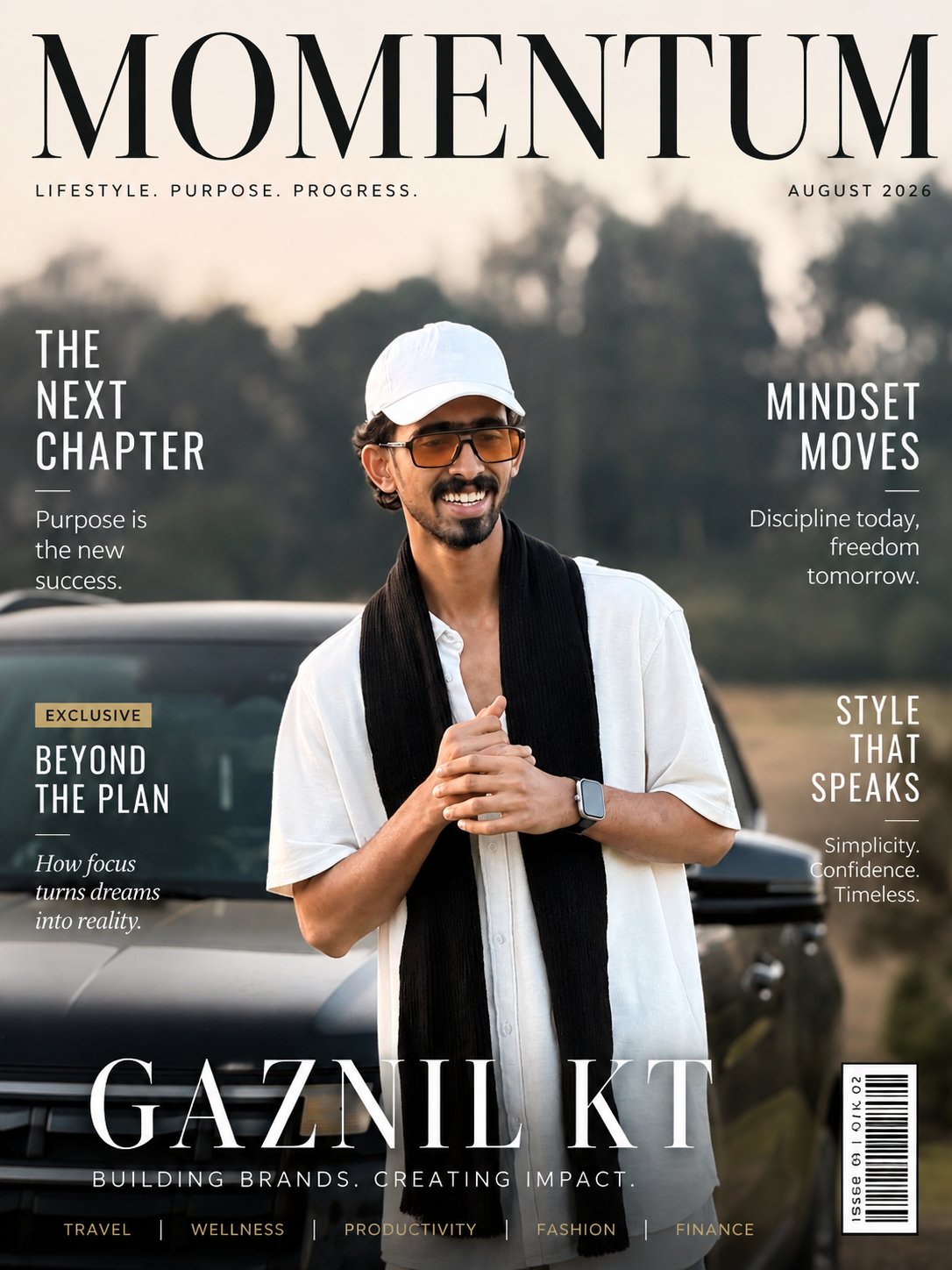
/magazinecover
Builds a full editorial cover around your photo — masthead, cover lines, barcode, issue date. Add the magazine name and the theme you want if you care about the words; leave it blank and it writes its own.
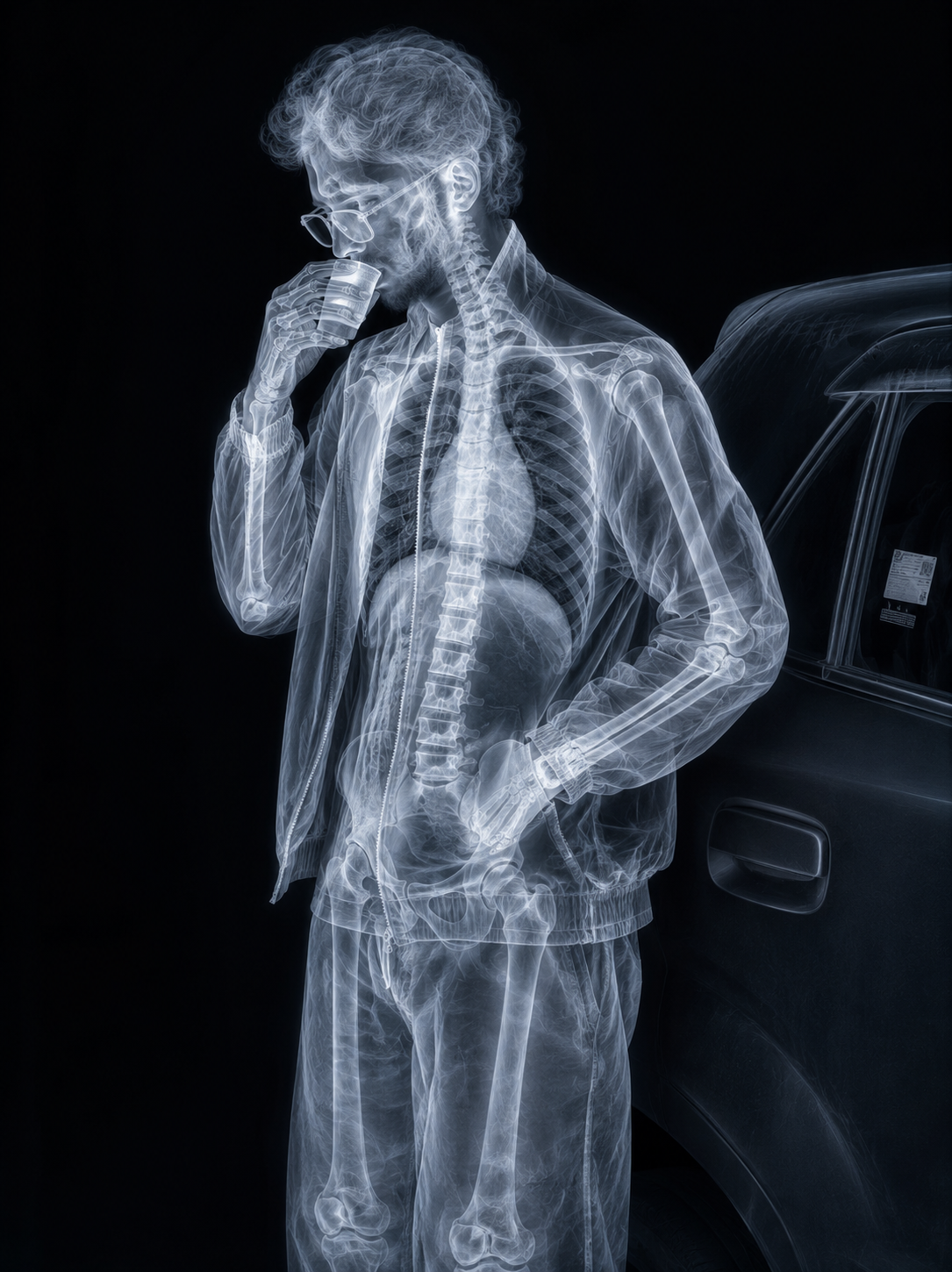
/xray
Renders the subject as a translucent x-ray with the internal structure showing through. It works on objects and products the same way, which is what makes it useful beyond the novelty.
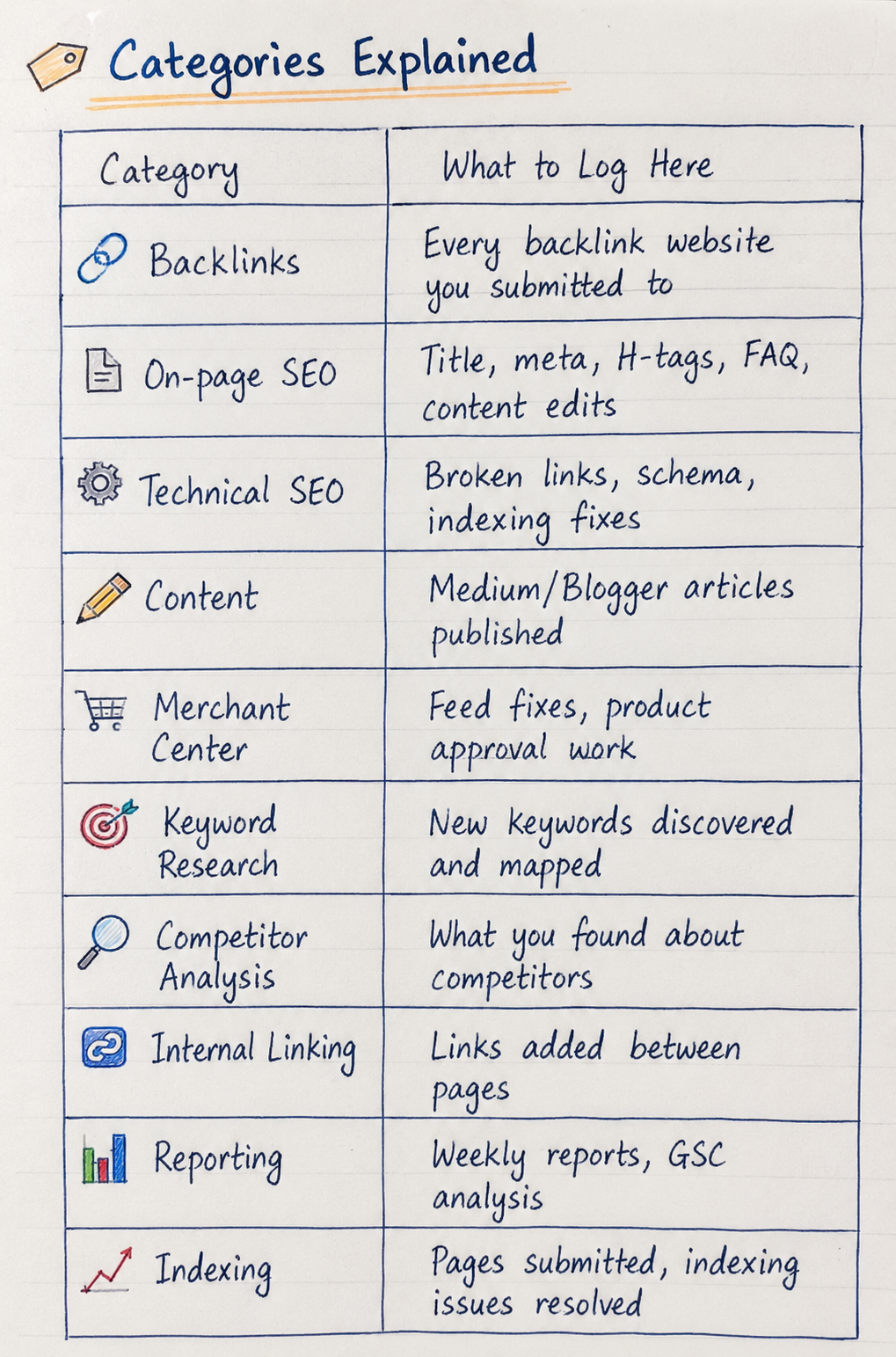
/handwritten
This is the one that does actual work. I gave it a plain digital table of SEO logging categories and got back a page that looks like someone sat down and wrote it — ruled paper, icons, underlines, a highlighter swipe on the title.
Stack two commands to get a look nobody else has
This is where the list stops being a list and starts being a toolkit. One command gives you a style everyone else is using. Two commands give you yours.
The pattern that works: one style command + one light or texture command.
/cinematic /goldenhour a fisherman pulling in nets
/isometric /neon a late-night ramen stall
/lineart /goldleaf a peacock feather
/claymation /bokeh a tiny office desk scene
Three or more commands usually cancel each other out — the model tries to satisfy everything and commits to nothing. Two is the sweet spot. Occasionally three works if the third is a pure lighting word.
The 5 most useful commands (start here)
Most of the 300 are aesthetic. These five are the ones that do actual work — they turn information into something you can post, send or teach with.
/handwritten
Turns any block of information into realistic handwritten notes — highlighter, arrows, margin doodles, the lot. Paste a chapter summary or a set of study points under it and you get a revision sheet that looks like a person made it. This is quietly the highest-performing one on social feeds.
/infographic
Takes dull numbers and returns a clean, shareable graphic. Feed it three or four stats with labels rather than a wall of text — the fewer numbers you give it, the more readable the output. Best single command for carousels and client reports.
/diagram
Maps any process or system as a connected flow, input through to output. Useful when you’re explaining how something works and words keep getting longer instead of clearer.
/xray
Cuts an object, product or body open and shows the internal structure in layers. Excellent for product explainers and anything educational — it gives you a cutaway illustration that would normally cost you a designer.
/visualize
The one to use when you don’t know what format you want. Hand it a rough idea and it picks the format itself — scene, timeline, chart or illustration. Good first move when you’re stuck.
The full list — 300 ChatGPT image commands
Twenty categories. Skim the headings, not the rows.
1. Art & drawing styles
| Command | What you get |
|---|---|
/mangacover | Japanese manga book cover layout |
/comicbook | Comic panels with ink lines and halftone |
/blueprint | White-on-blue technical engineering drawing |
/watercolor | Soft watercolour with bleeding edges |
/vaporwave | Pink-and-blue retro neon aesthetic |
/pixelart | 8-bit retro game graphics |
/lego | Built entirely from LEGO bricks |
/ascii | Picture drawn out of keyboard characters |
/lowpoly | Faceted low-polygon 3D model |
/origami | Folded paper sculpture |
/claymation | Stop-motion clay figure look |
/papercut | Layered paper cutout with depth shadows |
/stainedglass | Leaded coloured-glass window panel |
/oilpainting | Traditional oil on canvas, visible brushwork |
/charcoal | Smudged charcoal sketch |
/pencilsketch | Hand-drawn graphite drawing |
/inkdrawing | Black ink line illustration |
2. Animation & cartoon looks
| Command | What you get |
|---|---|
/ghibli | Soft hand-painted Studio Ghibli feel |
/anime | Japanese anime illustration |
/chibi | Cute big-head miniature character |
/disney | Classic Disney animation styling |
/pixar | Glossy Pixar-style 3D character |
/dreamworks | DreamWorks animated look |
3. Retro, futuristic & film aesthetics
| Command | What you get |
|---|---|
/cyberpunk | Rain-slick neon future city |
/steampunk | Victorian brass gears and machinery |
/noir | High-contrast black-and-white detective mood |
/filmgrain | Vintage film texture and grain |
/polaroid | Instant camera photo with white border |
/retro90s | 1990s nostalgia palette and props |
/y2k | Early-2000s chrome-and-bubble futurism |
/synthwave | Neon sunset gradient, grid horizon |
/outrun | Retro highway at night with neon strips |
/glitch | Digital distortion and channel shift |
/hologram | Translucent holographic projection |
4. Modern design & art movements
| Command | What you get |
|---|---|
/glassmorphism | Frosted translucent glass UI panels |
/neon | Bright glowing neon tube lighting |
/goldluxury | Premium black-and-gold finish |
/minimal | Clean, spacious, almost empty composition |
/isometric | Angled 3D illustration, no perspective distortion |
/flatdesign | Modern flat vector graphics |
/lineart | Single-weight outline drawing |
/doodle | Loose hand-drawn doodles |
/graffiti | Street wall art with tags |
/spraypaint | Stencilled spray-paint artwork |
/popart | Warhol-style bold colour blocks and dots |
/cubism | Fractured geometric Picasso treatment |
/surreal | Dream logic, impossible combinations |
/abstract | Non-representational shapes and colour |
/expressionism | Emotional, distorted, heavy brushwork |
/renaissance | Classical European oil portrait treatment |
/baroque | Rich, dramatic, heavy chiaroscuro |
/gothic | Dark medieval architecture and mood |
5. Fantasy, myth & history
| Command | What you get |
|---|---|
/fantasy | Magical high-fantasy world |
/mythology | Gods, legends and epic scale |
/dragon | Dragon-centred scene |
/elf | Elegant elven character design |
/wizard | Spellcasting, robes, arcane light |
/samurai | Japanese warrior in armour |
/ninja | Stealth assassin, low light |
/viking | Nordic warrior and longship world |
/medieval | Medieval kingdom setting |
/ancientrome | Roman Empire architecture and dress |
/ancientegypt | Pharaonic Egypt, gold and hieroglyphs |
6. Nature, weather & space scenes
| Command | What you get |
|---|---|
/space | Deep outer space |
/galaxy | Colourful spiral galaxy |
/astronaut | Space explorer in suit |
/mars | Red planet surface |
/moonlight | Cool moonlit night scene |
/underwater | Beneath the surface, light shafts |
/ocean | Open ocean scenery |
/jungle | Dense tropical forest |
/desert | Sand dunes and heat haze |
/volcano | Lava, ash and fire |
/snow | Snow-covered landscape |
/rain | Wet, rainy atmosphere |
/storm | Thunderstorm and dark cloud |
/sunset | Evening golden sky |
/sunrise | Cool early-morning light |
/goldenhour | Warm low sunlight, long shadows |
/nightcity | City after dark |
7. Architecture & interiors
| Command | What you get |
|---|---|
/architecture | Building design rendering |
/interior | Styled room interior |
/scifiroom | Futuristic interior space |
/workspace | Office or creator desk setup |
8. Photography & camera looks
| Command | What you get |
|---|---|
/productshot | Studio-lit commercial product photo |
/macro | Extreme close-up detail |
/bokeh | Creamy blurred background |
/fisheye | Wide curved fisheye distortion |
/droneview | Aerial shot from above |
/cinematic | Movie frame with filmic colour |
/imax | Huge-format wide composition |
/hdr | High dynamic range, detail in every zone |
/hyperreal | Sharper and cleaner than reality |
/photorealistic | Indistinguishable from a real photo |
9. Toys & miniatures
| Command | What you get |
|---|---|
/miniature | Tiny tilt-shift world |
/toybox | Plastic toy-figure treatment |
/actionfigure | Boxed collectible action figure |
/funko | Funko Pop vinyl styling |
10. Materials & textures
| Command | What you get |
|---|---|
/silhouette | Solid dark shape against light |
/doubleexposure | Two images blended into one |
/woodcarving | Carved wooden sculpture |
/icecarving | Translucent ice sculpture |
/marble | Veined marble statue |
/bronze | Cast bronze with patina |
/ceramic | Glazed ceramic finish |
/porcelain | Fine white porcelain |
/crystal | Clear faceted crystal |
/diamond | Brilliant-cut diamond texture |
/goldleaf | Applied gold foil detailing |
/silverchrome | Mirror-polished chrome |
/rusted | Weathered rusty metal |
/oxidized | Green verdigris on copper |
/carbonfiber | Woven carbon fibre surface |
/liquidmetal | Flowing mercury-like metal |
/moltengold | Melted, pouring gold |
/glassart | Blown artistic glass |
/mirror | Reflective mirrored surfaces |
/holographic | Rainbow holographic foil |
/iridescent | Colour that shifts with angle |
/pearlescent | Soft pearl sheen |
11. Light, fire & cosmic effects
| Command | What you get |
|---|---|
/bioluminescent | Natural living glow |
/fire | Open flame and embers |
/electric | Crackling electrical energy |
/lightning | Forked lightning bolts |
/smoke | Drifting smoke trails |
/fog | Thick low fog |
/mist | Soft atmospheric haze |
/cloudscape | Dramatic sculpted clouds |
/aurora | Northern lights |
/eclipse | Solar eclipse corona |
/planet | Detailed planet surface and rim light |
/blackhole | Accretion disc and lensing |
/nebula | Coloured interstellar gas cloud |
/meteor | Meteor shower streaks |
/comet | Comet with long tail |
12. Sci-fi, robots & AI
| Command | What you get |
|---|---|
/spaceship | Spacecraft exterior or cockpit |
/alienworld | Alien planet ecosystem |
/robot | Humanoid robot |
/mecha | Giant piloted battle robot |
/android | Human-passing synthetic |
/cyborg | Half human, half machine |
/aiavatar | Stylised AI profile portrait |
/virtualreality | VR headset world |
/metaverse | Digital shared universe |
/matrix | Falling green code effect |
/datastream | Flowing digital data lines |
/wireframe | 3D wireframe mesh |
13. Gaming & pixel worlds
| Command | What you get |
|---|---|
/voxel | Blocky 3D cube art |
/blockworld | Cubic constructed world |
/minecraft | Minecraft-style blocks |
/roblox | Roblox avatar styling |
/fortnite | Stylised cartoon-shooter look |
/arcade | Retro arcade cabinet scene |
/gameboy | Four-tone green handheld screen |
/ps1 | Jagged PlayStation 1 polygons |
/ps2 | Early-2000s console graphics |
/n64 | Nintendo 64 era 3D |
/retroarcade | Neon arcade hall atmosphere |
/pixelportrait | Face rendered in pixels |
/sprite | Game sprite sheet layout |
/bossfight | Video game boss encounter |
14. Places & adventure
| Command | What you get |
|---|---|
/dungeon | Dark stone dungeon |
/castle | Fantasy castle exterior |
/throneroom | Royal hall with throne |
/pirate | Pirate ship and crew theme |
/treasure | Overflowing treasure chest |
/shipwreck | Sunken wreck on the seabed |
/lighthouse | Lighthouse on a coast |
/harbor | Working port scene |
/village | Countryside village |
/cottagecore | Cosy rural domestic aesthetic |
/fairytale | Storybook fairy-tale world |
15. Craft, handmade & pattern art
| Command | What you get |
|---|---|
/storybook | Children’s picture-book illustration |
/storybook3d | Dimensional pop-up book style |
/puppet | Jointed wooden puppet |
/felt | Soft felt fabric craft |
/crochet | Crocheted yarn object |
/knitted | Knitted wool texture |
/embroidery | Stitched thread artwork |
/quilling | Rolled paper strip art |
/sandart | Sculpted sand |
/chalk | Chalk on blackboard or pavement |
/marker | Bold marker pen illustration |
/crayon | Waxy child-like crayon drawing |
/pastel | Soft chalk pastel |
/gouache | Flat opaque gouache paint |
/acrylic | Acrylic painting on canvas |
/impasto | Thick sculptural paint ridges |
/fresco | Plaster wall painting |
/mosaic | Small tile mosaic |
/mandala | Symmetrical circular pattern |
/zentangle | Dense repetitive line patterns |
/tattoo | Tattoo flash design |
/tribal | Bold tribal patterning |
/boho | Bohemian earthy styling |
/artdeco | 1920s geometric elegance |
/bauhaus | Primary colours, pure geometry |
/brutalist | Raw concrete, heavy blocks |
/memphis | Playful 1980s shapes and squiggles |
/gradientmesh | Smooth flowing colour gradients |
16. Print, branding & collectibles
| Command | What you get |
|---|---|
/magazinecover | Full magazine cover with masthead |
/newspaper | Printed newspaper page |
/passportphoto | Formal ID-style headshot |
/idcard | Employee or student ID card |
/tradingcard | Collectible card with frame and stats |
/poster | Movie-poster composition |
/billboard | Outdoor billboard mockup |
/albumcover | Music album artwork |
/vinyl | Vinyl record sleeve |
/bookcover | Hardcover book jacket |
/storybookcover | Children’s book cover |
/magicalbook | Ancient glowing spellbook |
/scroll | Aged parchment scroll |
/map | Illustrated map |
/treasuremap | Burnt-edge pirate map |
/playingcard | Playing card face design |
/tarotcard | Symbolic tarot card |
/stamp | Perforated postage stamp |
/coin | Minted coin relief |
/currency | Engraved banknote design |
/waxseal | Stamped wax seal |
/emblem | Premium emblem mark |
/crest | Family crest |
/coatofarms | Full heraldic coat of arms |
/logo | Clean logo concept |
/monogram | Interlocking letter mark |
/badge | Award or achievement badge |
/sticker | Die-cut sticker with white border |
/emoji | Glossy 3D emoji |
/icon | App icon on a rounded tile |
17. UI, tech & science
| Command | What you get |
|---|---|
/appui | Mobile app screen mockup |
/dashboard | Analytics dashboard layout |
/website | Web page layout |
/wireframeui | Grey-box UI blueprint |
/glassui | Frosted glass interface |
/darkmode | Dark theme interface |
/neonui | Glowing neon interface |
/terminal | Monospace command-line screen |
/hud | Sci-fi heads-up display overlay |
/controlpanel | Futuristic control console |
/hacker | Multi-monitor hacker workspace |
/serverroom | Racked server aisle |
/datacenter | Enterprise-scale data centre |
/quantum | Quantum computing hardware |
/nanotech | Nanoscale machinery |
/dna | DNA double helix |
/cell | Microscopic cell cross-section |
/molecule | Ball-and-stick molecule model |
/atom | Atomic structure diagram |
/brain | Anatomical brain illustration |
/neuralnetwork | Connected AI network nodes |
/fractal | Infinitely repeating pattern |
/kaleidoscope | Colourful mirrored symmetry |
/geometry | Clean geometric shape study |
/sacredgeometry | Ritual geometric patterning |
/infinity | Infinity loop artwork |
/spiral | Spiral composition |
/waveform | Audio waveform graphic |
18. Music, objects & world places
| Command | What you get |
|---|---|
/soundwave | Sound wave visual |
/musicvisualizer | Reactive music graphic |
/equalizer | Audio level bars |
/vinylplayer | Turntable and record |
/cassette | Cassette tape |
/boombox | 1980s portable stereo |
/headphones | Headphone product showcase |
/camera | Camera body and gear |
/cinemalens | Cine lens close-up |
/typewriter | Vintage typewriter |
/library | Grand multi-storey library |
/laboratory | Science lab interior |
/factory | Automated smart factory |
/warehouse | Industrial warehouse |
/airport | Airport terminal |
/trainstation | Railway station platform |
/subway | Metro station underground |
/bridge | Bridge structure |
/skyscraper | Tall modern tower |
/cityscape | City skyline |
/skyisland | Floating island in cloud |
/treehouse | House built in a tree |
/garden | Planted garden scene |
/bonsai | Bonsai tree study |
/flowerfield | Open field of flowers |
19. Animals & creatures
| Command | What you get |
|---|---|
/butterfly | Butterfly with wing detail |
/wolf | Wolf portrait or pack |
/lion | Lion with mane detail |
/eagle | Eagle in flight or perched |
/owl | Owl close-up |
/fox | Fox in habitat |
/cat | Cat subject |
/dog | Dog subject |
/horse | Horse in motion |
/phoenix | Firebird rising in flame |
/unicorn | Unicorn |
/griffin | Eagle-lion hybrid beast |
/kraken | Giant sea monster |
20. Time & imagination
| Command | What you get |
|---|---|
/timemachine | Time travel machine |
/dreamscape | Dream world with soft logic |
/paralleluniverse | Alternate version of reality |
/multiverse | Many realities at once |
Rules that decide whether the command works
- Always name the subject. A command alone is a style with nothing to style.
/cyberpunkgives you a generic city;/cyberpunk an autorickshaw stand at midnightgives you something nobody has posted. - Two commands maximum. Style plus light. Three or more and the model averages them into mud.
- Re-run before you rewrite. Same command, new result. Most people abandon a good command after one bad roll.
- Say what you don’t want. Adding “no text, no watermark, no border” removes most of the junk overlays in a single pass.
- Set the aspect ratio out loud. “9:16 vertical” for Reels and Shorts, “16:9” for thumbnails, “1:1” for feed posts. If you don’t say it, you’ll get square and crop badly later.
- Edit by conversation, not by restart. After a generation, just say “warmer light, move him left”. You keep the image and change one thing — starting a new chat throws the whole look away.
Mistakes to avoid
- Pasting eight commands at once and concluding the list is fake.
- Using only the famous ones.
/ghibliand/pixarare the most saturated looks on the internet right now — the interesting results are three categories down. - Expecting an exact face back from an uploaded photo. These are restyles, not edits; likeness drifts.
- Asking for lots of readable text inside the image. Short words are fine, paragraphs are not — use
/infographicwith three data points, not thirty. - Naming a living artist to copy their style. Name the movement or the medium instead, which is what these commands do anyway.
FAQ
Are ChatGPT image commands official?
No. There’s no command list built into ChatGPT and no autocomplete menu. They’re shorthand prompts that work because the model interprets the slash word as a style instruction. Nothing breaks if you invent your own.
Do I need a prompt as well as the command?
No. As the screenshot above shows, an image plus one command is enough. Adding a subject or a detail improves accuracy, but nothing is required.
Do these work on the free ChatGPT plan?
Yes, wherever image generation is available to you. Free accounts get a limited number of images per day, so paid plans mainly buy you volume and speed rather than different commands.
Can I use these commands in Gemini, Grok or Midjourney?
Mostly yes. Any model that reads natural language will understand /watercolor or /isometric. Midjourney is the exception to watch, because it uses real slash commands like /imagine — put the style word after that, not instead of it.
Can I combine two commands?
Yes, and you should. Pair a style with a lighting or texture command — /cinematic /goldenhour, /lineart /goldleaf. Keep it to two.
Why does the same command give a different image each time?
Image models are non-deterministic — every run samples a different path. Use it deliberately: run the same command three times and pick, instead of rewriting after one attempt.
Which command should a beginner start with?
/handwritten if you make educational content, /infographic if you make business content, /isometric if you want something that looks designed. Those three cover most real work.
The part nobody wants to hear
You’ll save this list, try /ghibli, get a nice picture, and stop. Almost everyone does. And then in six months the feed is full of the same soft pastel faces and none of them belong to anyone.
A style command is not a style. It’s a shortcut to a style that ten million other people also have a shortcut to. What’s actually scarce is the subject — the thing only you would think to put inside it. Nobody has your street, your shop, your grandmother’s kitchen, the specific joke your friends understand. The model can render anything; it cannot notice anything. That part is still your job.
So use the list backwards. Don’t open it and ask “what looks cool”. Decide what you want to say first, then come here and find the two words that make it look right. The people whose AI images stop your thumb aren’t using rarer commands than you. They just brought something to render.
Pick three commands from a category you’d normally skip. Make something today. It’ll be rough, and the fourth one won’t be.
Keep going
If you want to take this further, read how to create trending videos using Google Flow to turn these stills into motion, and how to connect Pinterest to Claude AI for pulling visual references automatically before you prompt. More guides like this on gaznil.com.