gznl.ai — vol.05 · the comment-wow drop
THE STRETCH five pixel-stretch AI prompts — and the free Claude skill that writes yours.
( five ordinary phone photos. five different stretches. zero photoshop. you commented WOW — so here is everything. scroll: the page does the stretching. )
everyone is stretching pixels right now.
nobody is choosing how.
a stretch should grow out of your photo — its pose, its light, its palette. not out of a template.
five edits. five different answers. the receipts — the exact prompts — are below every single one.
stretch № 01 · subject dissolve
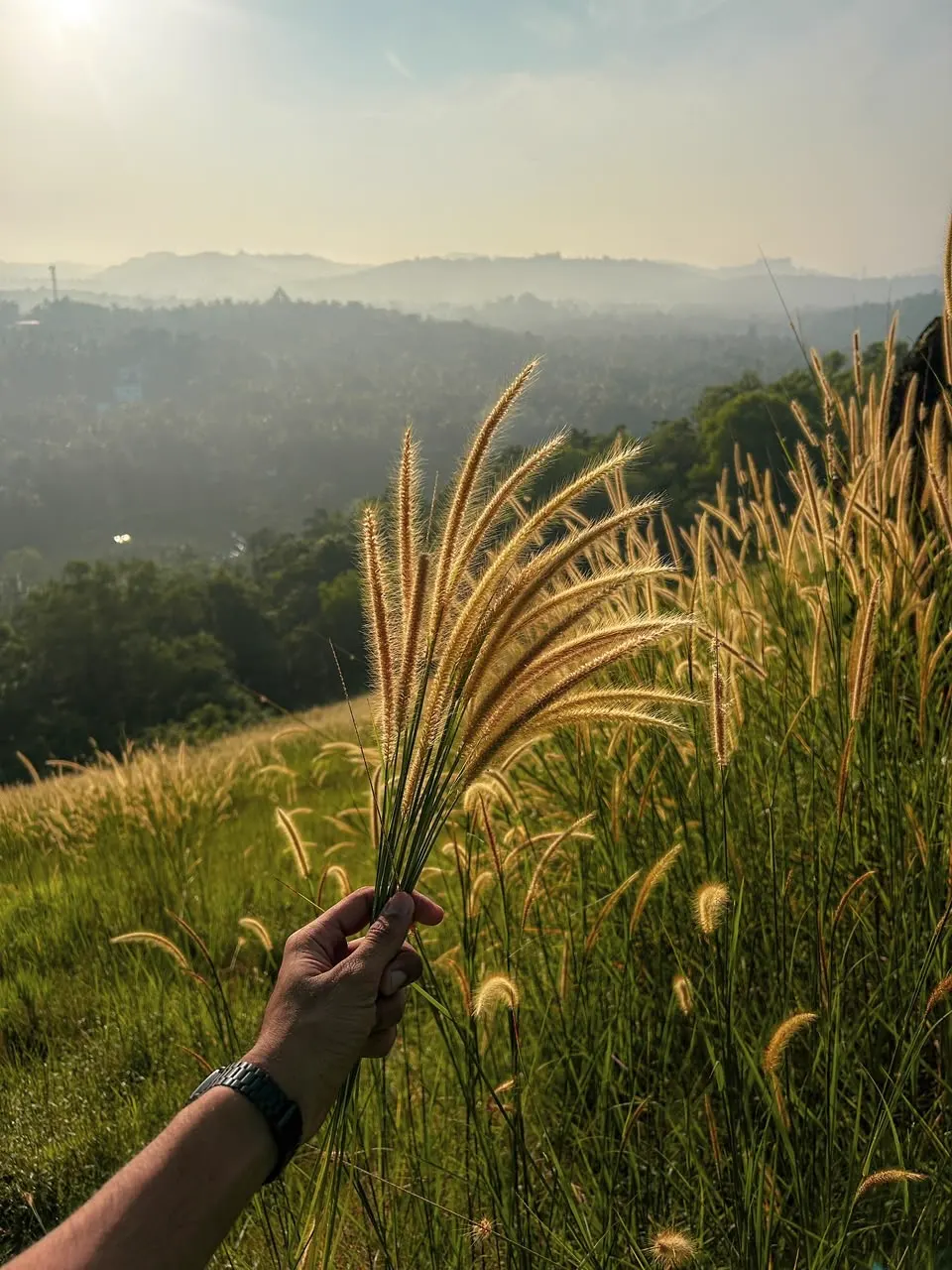
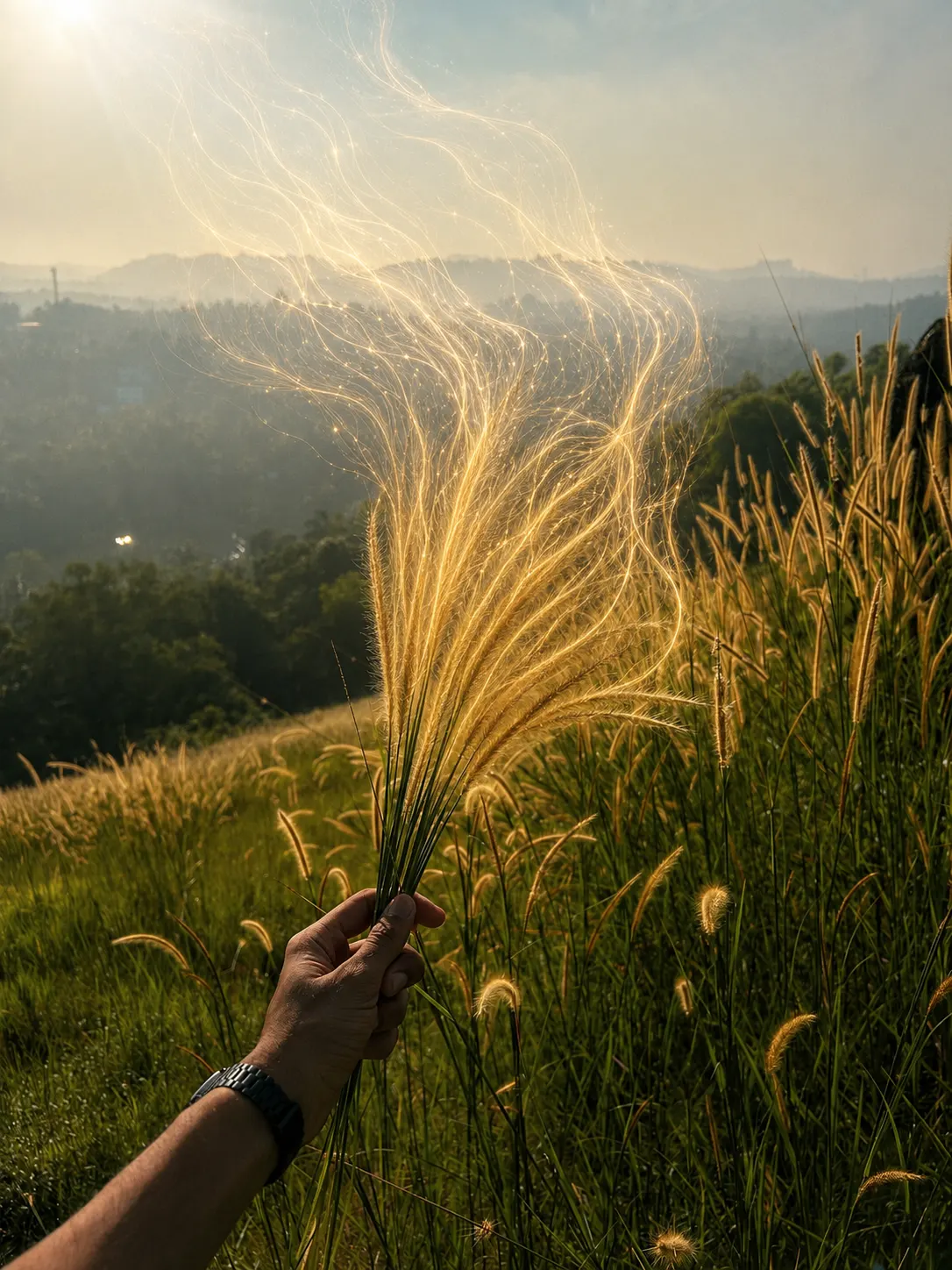
the silk
the offering — the bouquet's backlit tips unravel into strands of light and drift toward the sun that lit them. protected: the hand, the watch, the stems.
the receipt
the exact prompt behind the silk
why it works: the stretch has an origin — the feathery tips already catching light. the dissolve is a gradient: solid at the grip → softening → pure light at the tips. not one color is invented; every strand inherits the pixel it grows from.
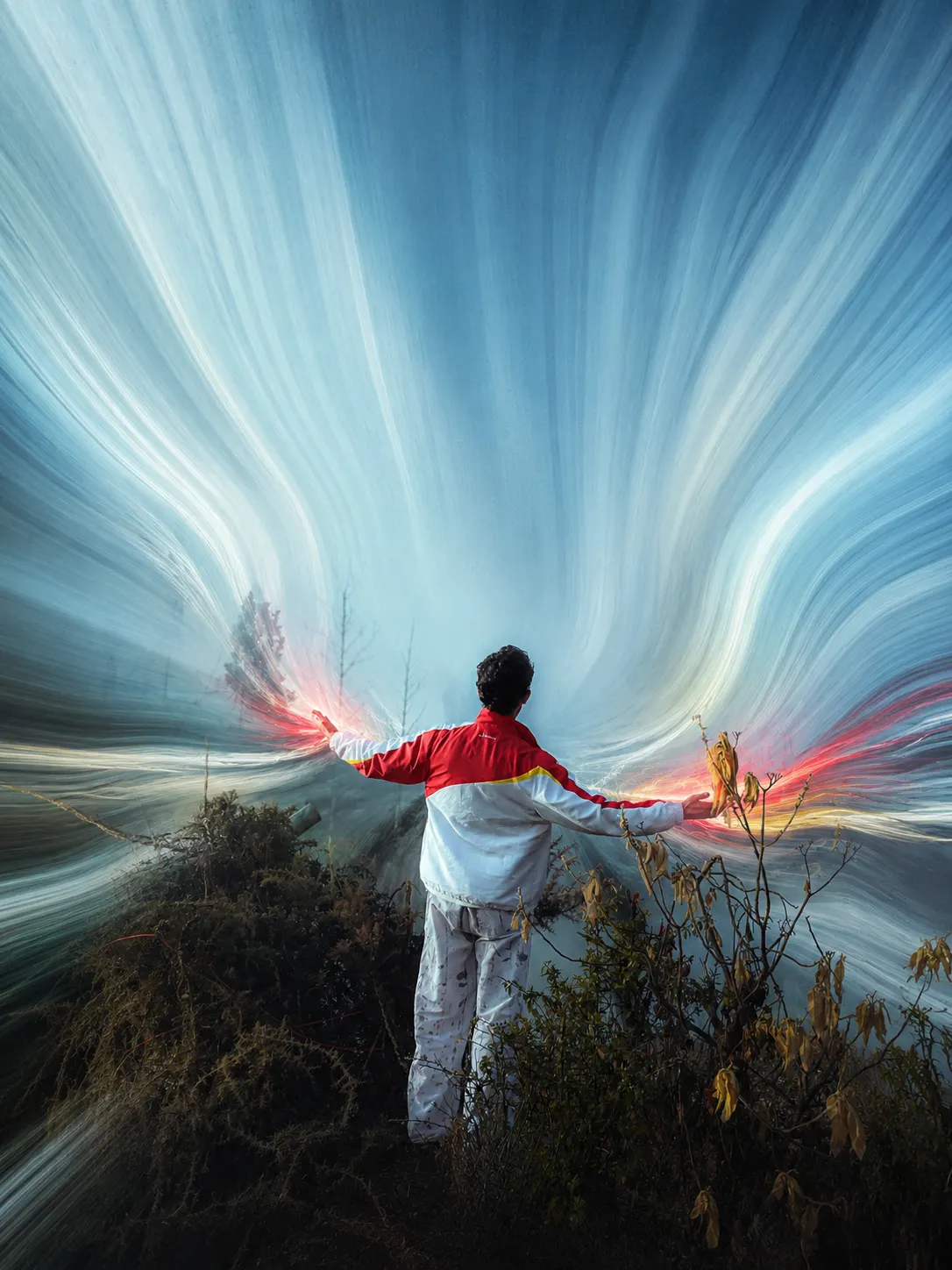
stretch № 02 · motion source
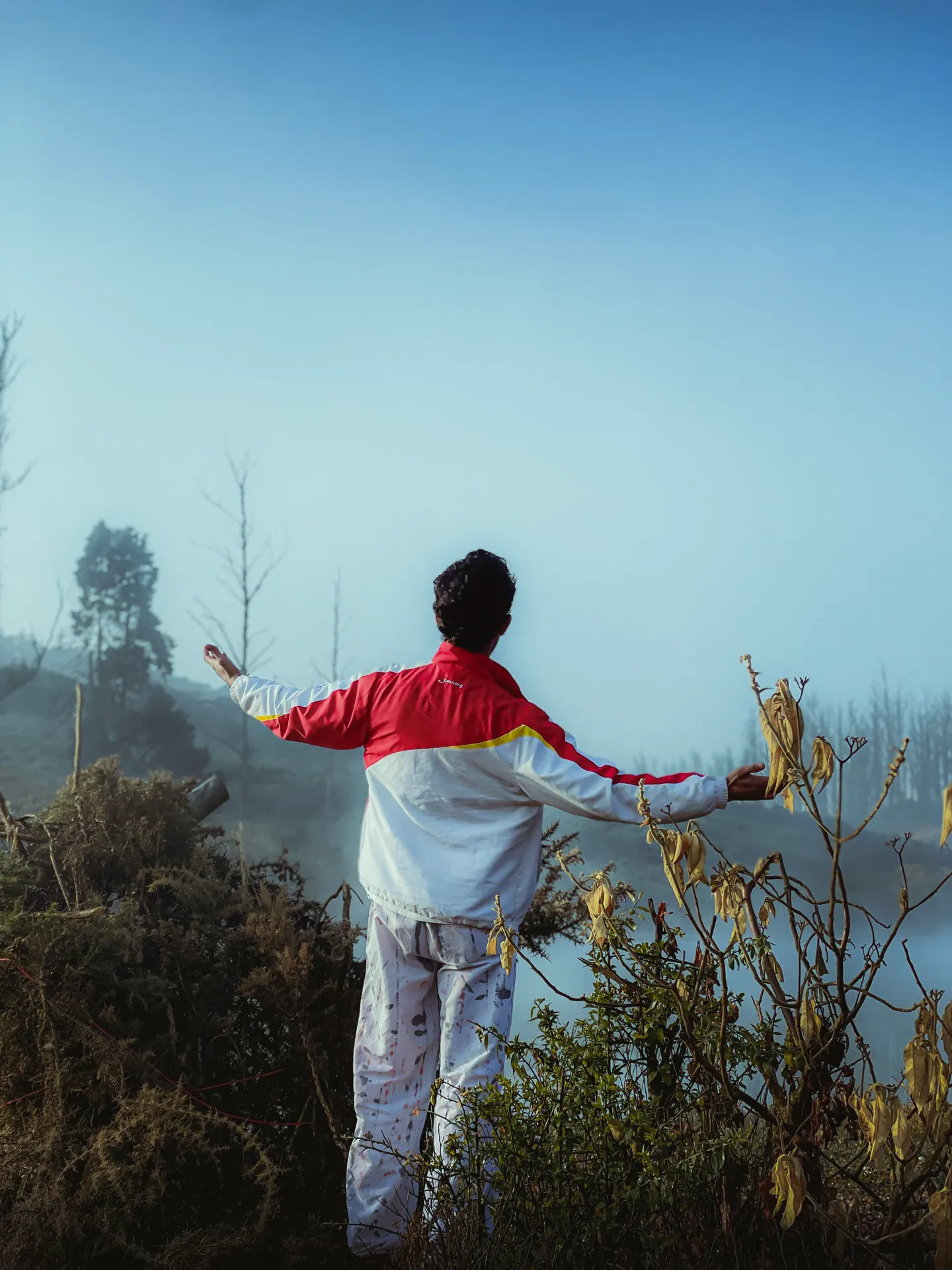
the burst
the whole landscape streams out of his fingertips — jacket-hot at the source, cooling into mist-white and sky-blue as it travels. the gesture is the engine.
the receipt
the exact prompt behind the burst
why it works: motion effects need real motion — open arms give the stretch a believable origin. the color reads as travelling light, not smeared paint: hot red/yellow at the fingertips, cooling into the scene's own mist and sky tones.
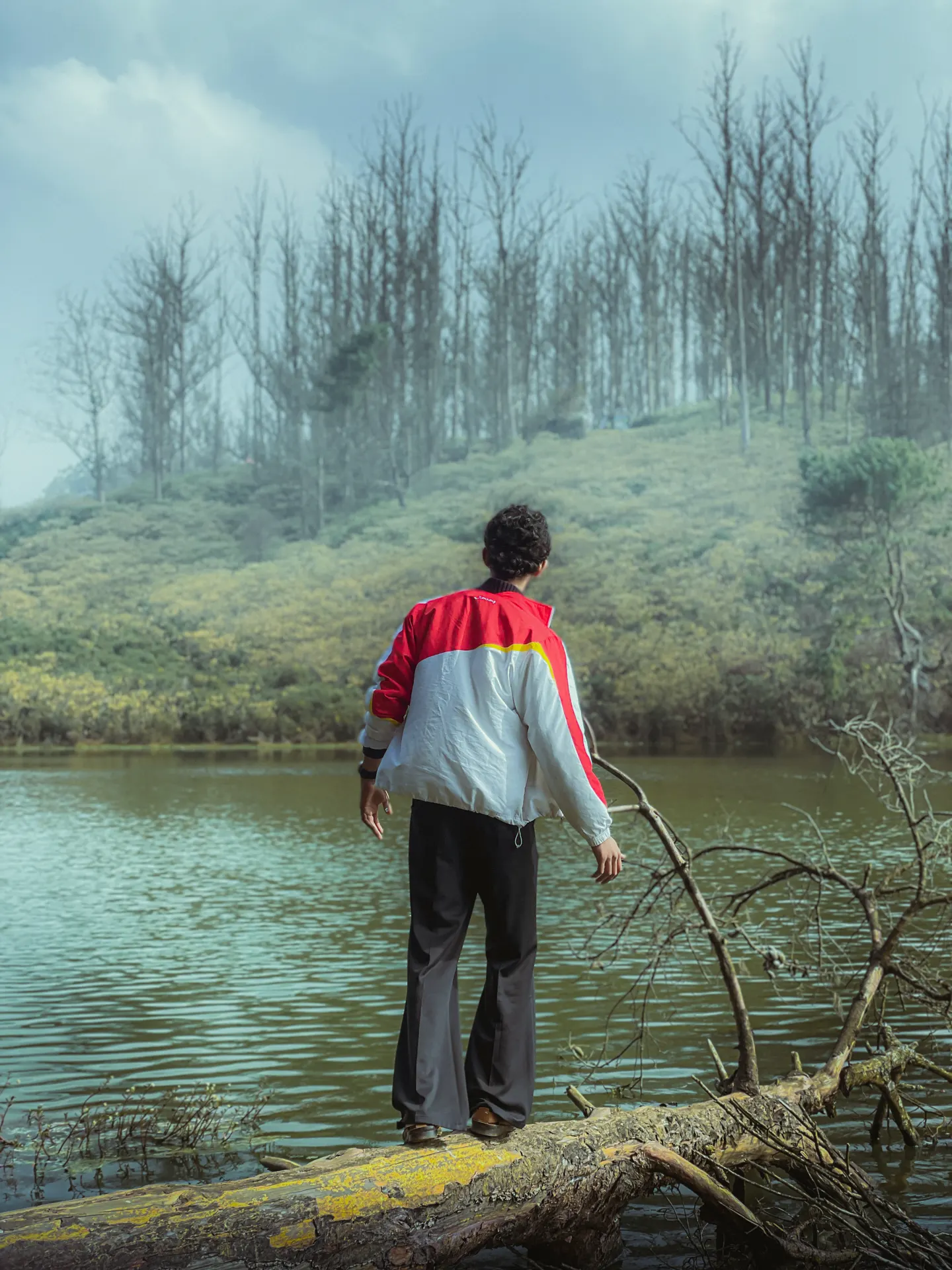
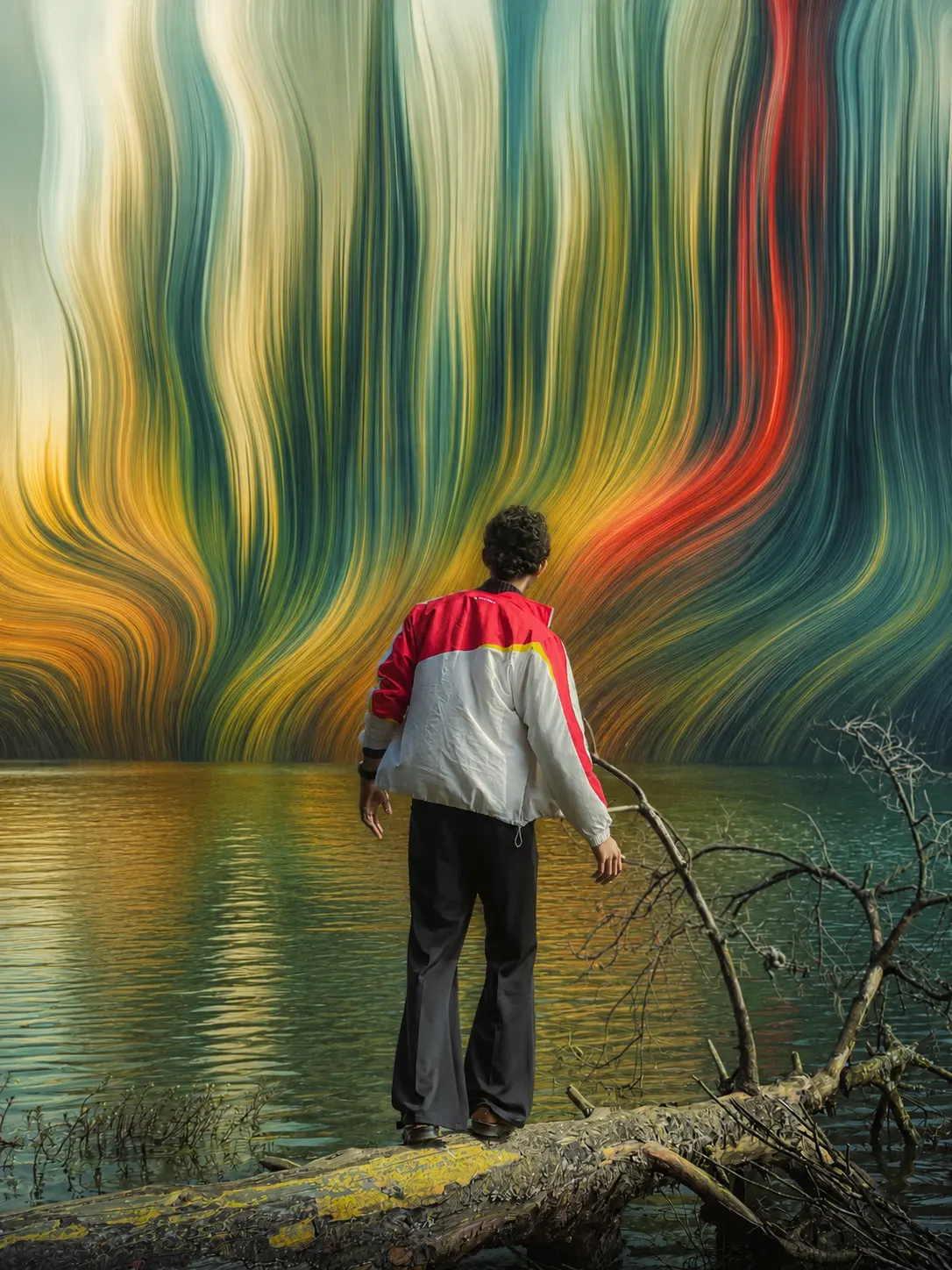
stretch № 03 · living backdrop
the curtain
reality stays sharp at his feet — the log, the water — while everything behind him melts into a painted curtain come to liquid life. the fashion-campaign look.
the receipt
the exact prompt behind the curtain
why it works: a depth split. foreground fully real, background fully dreaming — clean separation is what makes it read expensive. his jacket's crimson and yellow bleed into the backdrop, so subject and canvas belong to each other.


stretch № 04 · mist into light
the rain
the stretch doesn't smear this scene — it fixes it. dead grey fog becomes god-rays falling through the canopy like luminous rain. grade and effect in one move.
the receipt
the exact prompt behind the rain
why it works: flat, overcast photos die under normal stretches. here the prompt gives the stretch a different job — turn the mist itself into light. the grey lifts to silver-white, the tea deepens to emerald, and the effect pays for the grade.
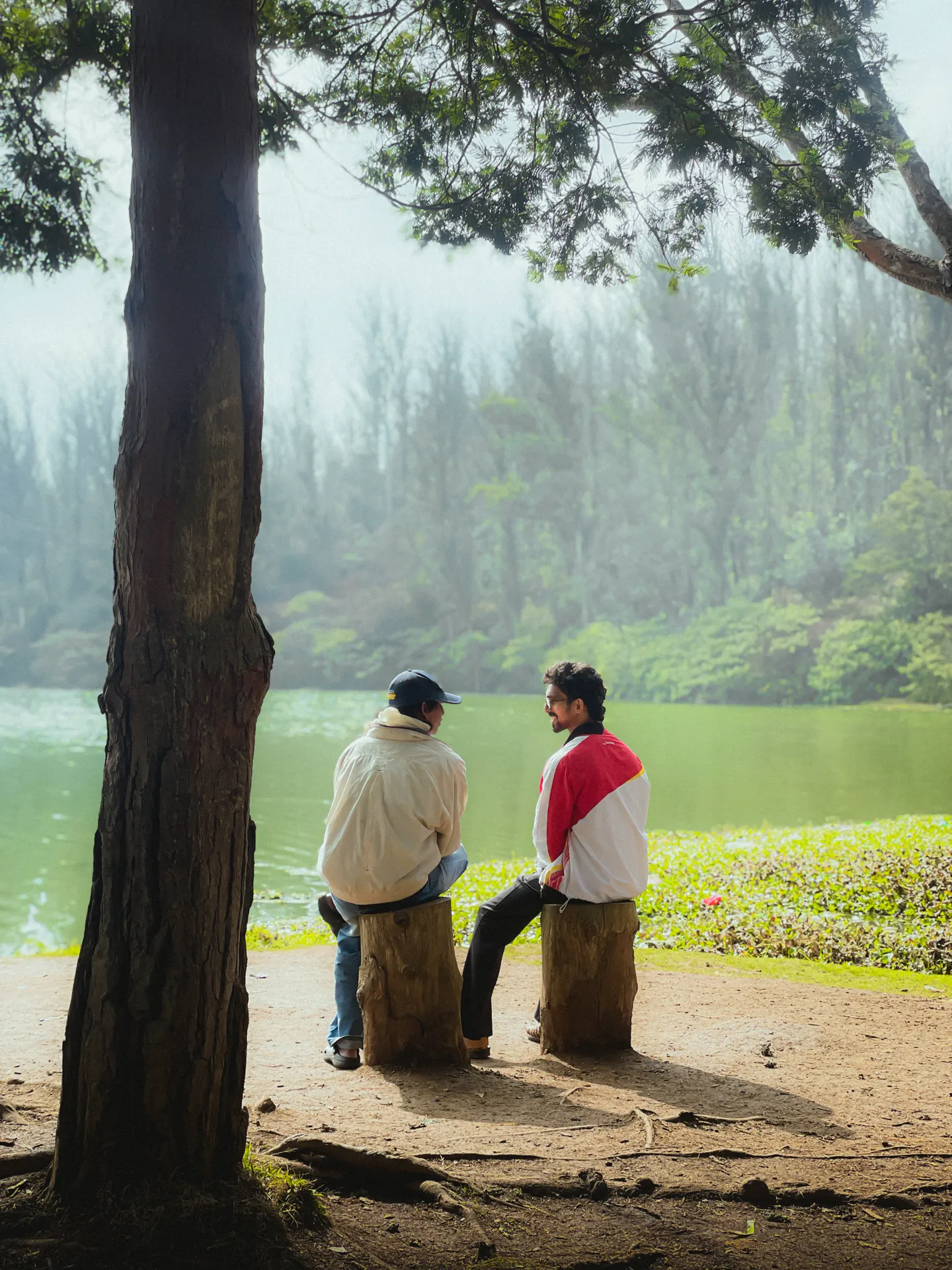
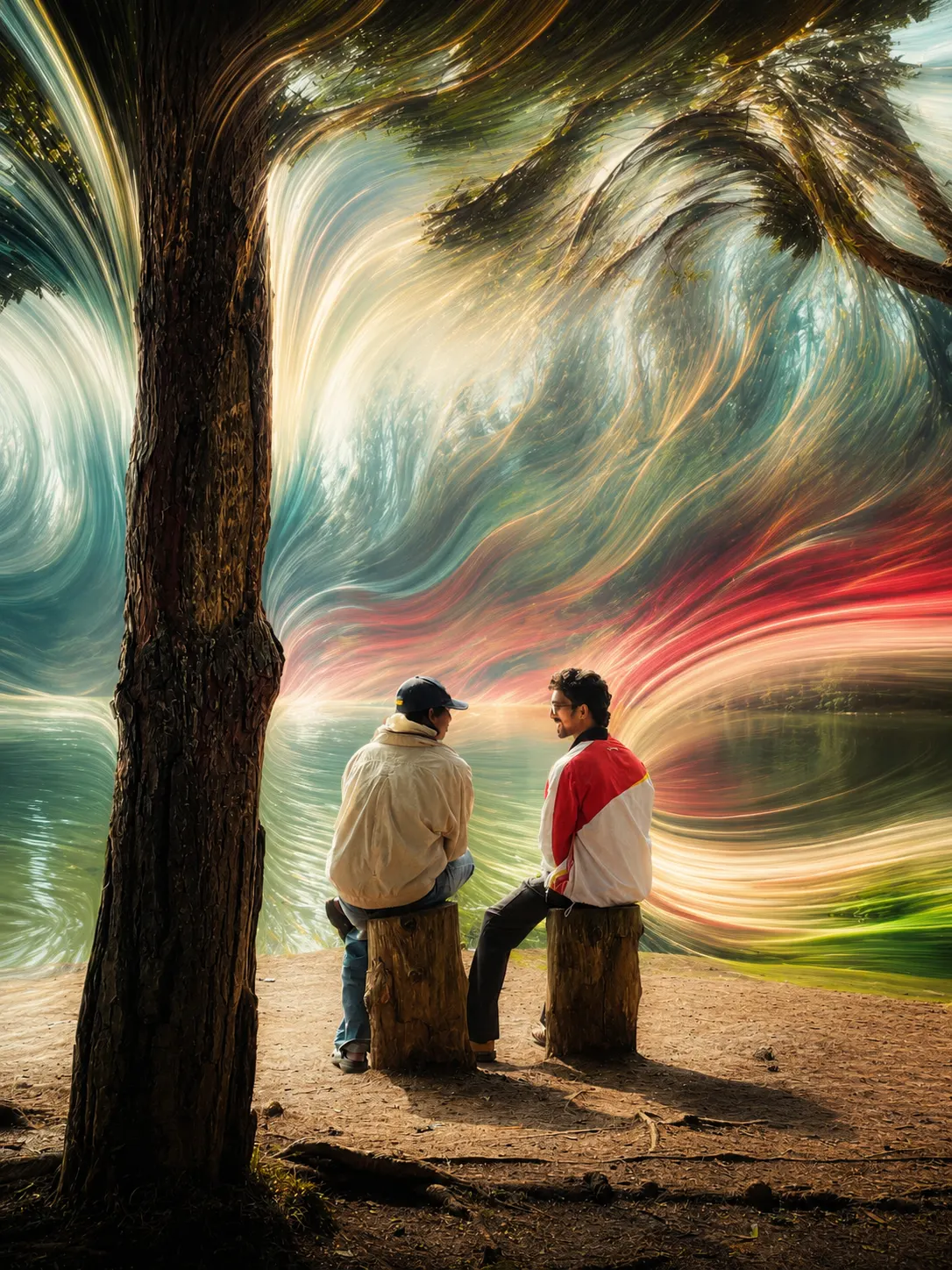
stretch № 05 · the conduit
the swirl
the pine carries their jacket colors up through its trunk and paints them across the sky — the world painted by the people sitting beneath it.
the receipt
the exact prompt behind the swirl
why it works: the tree is neither frozen nor dissolved — it's the conduit. solid bark at the core, feathering edges, colors released through the canopy. the subjects are the color source; the sky is their canvas.
the machine behind the receipts
the skill that chooses your stretch for you
the five prompts above were written for five specific photos — their poses, their light, their palettes. your photo needs its own. pixel-stretch-prompter is the free skill that does the choosing: it reads your image first, picks ONE concept that fits it, and writes the premium prompt — never the generic swirl-everything filter look.
step 01
install it
download the skill below and add it to Claude (claude.ai → Settings → Capabilities → Skills → upload). using ChatGPT instead? copy the skill as text and paste it into your chat first.
step 02
send your photo
say “stretch this.” the skill analyzes the pose, the anchors, the flow lines and the true palette — then writes ONE authored prompt that fits that exact frame.
step 03
render it
paste the prompt + your photo into any AI image editor (ChatGPT, Gemini / Nano Banana…). one render. zero photoshop. gallery wall.
( free. no email. you commented WOW — that was the price. )
read the skill's full method — the whole thing, nothing held back
# Pixel Stretch Prompter
Turn any uploaded image into ONE premium pixel-stretch prompt that feels authored, cinematic, and different from the saturated trend — never a generic "swirl everything" filter prompt.
## Step 1 — Analyze the image FIRST (never skip)
1. Subject & pose: what are they DOING? A gesture (open arms, trailing hand, mid-stride, reaching) becomes the source of the stretch. A static pose needs a different origin (reflection, background depth, mist).
2. Anchors that must stay sharp: subject, whatever they stand/sit on, their ground shadow, the immediate foreground — a "protected zone."
3. Natural flow already in the frame: vertical trees → vertical stretch; still water → reflection; mist → rising / light-shaft; motion in pose → directional wake; backlit feathery subjects → the subject dissolves into light.
4. The real palette: list ONLY colors that exist in the photo. NEVER introduce colors that aren't present.
5. The grade problem: flat grey/overcast frames need the grade fixed INSIDE the concept (mist becomes luminous light).
## Step 2 — Pick ONE concept that fits THIS image
- Motion source: stretch radiates from a gesture.
- Depth split (Living Backdrop): foreground real, everything behind melts into a flowing painted canvas.
- Reflection-only: reality untouched; only the water reflection dreams.
- Subject dissolve (The Offering): backlit feathery subjects unravel into strands of light. Gradient: solid at grip → softening → pure light at tips.
- Protected-zone sweep: subject + near ground sharp; stretch only in the outer ring.
- Mist-into-light: turn dead grey mist into luminous shafts — fixes grade and adds effect in one move.
Concepts must (a) have a believable origin in the photo, (b) be ONE idea.
## Step 3 — Color rules (this is where wow lives)
- Color stretches too, not just shape. Where two ribbons cross they blend into NEW in-between tones.
- Each ribbon carries the true color of the pixel it grows from — always include this; it prevents recoloring.
- Strict palette honesty: end every prompt with "no colors that are not already present in the original scene."
- Color journey: brightest subject color launches vivid at the source, then cools into the environment's tones — travelling light, not smeared paint.
- Glow rationed: soft glow on ribbon CORES only, or a faint luminous edge where ribbons part mist. Never scene-wide glow.
## Step 4 — Write the prompt
ONE cohesive lowercase paragraph starting "transform the uploaded image into a premium pixel-stretch digital artwork." Order: protection clause → the one concept → color behavior → optional single glow line → grade line (only if flat) → seamlessness + physics → finish + negatives ("no HDR halos, no plastic smoothing, no cartoon rendering, no over-saturation, no colors that are not already present in the original scene").
## Step 5 — Deliver
Give ONE prompt. Lead with why this concept fits their photo (reference the actual pose/light/palette). End with exactly ONE "dial" — a single swap to push intensity up or down.
## Hard NEVERs
- NEVER stack multiple effect systems at once.
- NEVER bury the subject — keep it fully visible with breathing room.
- NEVER fully freeze a large foreground element into a hard cutout — feather its edges.
- NEVER over-describe the subject — say "same, untouched" and move on.
- NEVER invent colors or use "8k / HDR / masterpiece" hype words.
- NEVER give a motion effect to a clearly static pose.
before you ask
questions, answered
what is the pixel-stretch effect?
pixel stretch is a photo-manipulation style where pixels are pulled into long silky streaks of color — classically done in photoshop by stretching a single row of pixels. this version skips the software entirely: one written prompt + your original photo in an AI image editor produces the finished artwork. the five edits here were each made from an ordinary phone photo and one prompt.
do i need photoshop or any editing app?
no. zero photoshop, zero lightroom, zero layers. copy a prompt from this page, attach your photo in an AI image editor, and render.
which AI tools do the prompts work in?
any image model that accepts a photo plus text instructions — ChatGPT (GPT Image), Google Gemini / Nano Banana, and similar. the skill runs in Claude (or pasted as text into ChatGPT) and its job is to write the prompt for your specific photo.
how do i install the pixel-stretch-prompter skill?
download the .zip above. on claude.ai: Settings → Capabilities → Skills → upload the zip. in Claude Code: unzip into your .claude/skills folder. on ChatGPT: use “copy skill as text” and paste it at the start of your chat, then send your photo.
why do my stretches look worse with generic prompts?
template prompts stack effects, bury the subject and invent neon colors. this method does the opposite: protect the subject, pick ONE concept with a believable origin, and never introduce a color that isn't already there. that restraint is the whole difference between a filter and an artwork.
can i use these exact five prompts on my own photos?
you can — best on photos with a similar structure. but your photo deserves its own concept — that's what the free skill is for: send it your photo and it writes yours.